
If your e-bike USB port will not charge your phone, start with the small items before you assume the bike has an electrical fault. Confirm the port is meant for device charging, test the cable with a wall charger, and check the bike-side USB port for moisture, dirt, looseness, or damage.
This page is the quick check path for a USB output that is not charging a phone. If you are still deciding whether an e-bike battery can be used as phone backup at all, start with Macfox's e-bike battery phone charging guide.
Confirm the USB Port Is Supposed to Charge Devices
The first thing I would check is whether the port is designed for phone charging. Some small ports on a bike, display, controller area, or battery housing may look familiar but are not intended to power a phone. Others only work when the bike is turned on or the display is awake.
Look at the product page, owner information, or support notes for your model. Do not judge by shape alone.

Test the Cable and Phone Before Blaming the Bike
A lot of USB charging problems come from the phone side, not the bike. Use the same cable with a wall charger or computer first. If the phone still does not charge, the e-bike is not the main issue. Try another cable you know works, remove a thick phone case if it blocks the plug, and check the phone port for lint or dirt.
If the phone only charges when the cable is held at a certain angle, that usually points to a cable, plug, or phone-port problem. Do not keep twisting the cable while it is connected to the bike.
Check the Bike-Side Conditions
Once the phone and cable pass a basic test, move to the bike. Make sure the e-bike is powered on if the USB port requires the system to be awake. Check whether the main battery is very low, because some systems may limit accessory output when battery level is low.
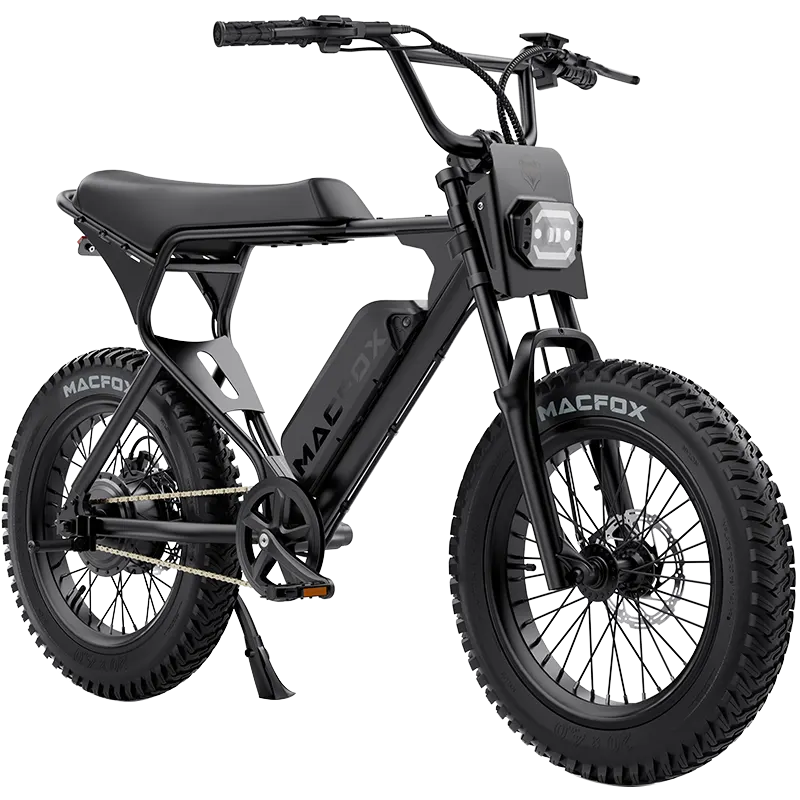
On a complete electric bike, the USB output may depend on the battery, display, controller wiring, and accessory circuit working together. A loose connector, wet port, or damaged display area can show up as a phone-charging failure.
Look closely before plugging in again. Stop if you see moisture, corrosion, dirt inside the opening, a bent contact, a cracked housing, or any sign of heat.
When to Stop Testing
Stop testing if the port or cable feels hot, smells burnt, sparks, cuts in and out repeatedly, or shows water inside the opening. Do not open the display, controller, battery case, or wiring harness to "fix" a USB port. This page is for safe checks, not electrical modification.
What to Record for Support
If the USB port still will not charge after the cable, phone, and visible port checks, record the pattern before contacting support. Note the phone model, cable type, bike battery level, whether the bike was on, what the phone showed on screen, and whether the issue followed rain, washing, a fall, or a rough ride.
Take a clear photo of the USB port and a short video showing the phone connected while the bike is powered on. Macfox's e-bike issue description checklist can help you send the useful details without writing a long story.
FAQ
Why does my phone charge slowly from an e-bike USB port?
An e-bike USB port may provide lower output than a wall charger or fast-charging adapter. It may be useful for topping up a phone, but it may not charge quickly while the screen, GPS, Bluetooth, or navigation apps are running.
Does the bike need to be turned on for the USB port to work?
Some e-bike USB ports only work when the bike is powered on or the display is awake. Check your model information before assuming the port is broken.
Can I keep riding while the phone cable is plugged in?
Only if the cable is secure, does not pull on the USB port, and does not distract you. If the cable swings, catches, or makes you look down while riding, unplug it and charge the phone when stopped.